Route Sensitive AI Agent Work to an Internal LLM by Agent and Session
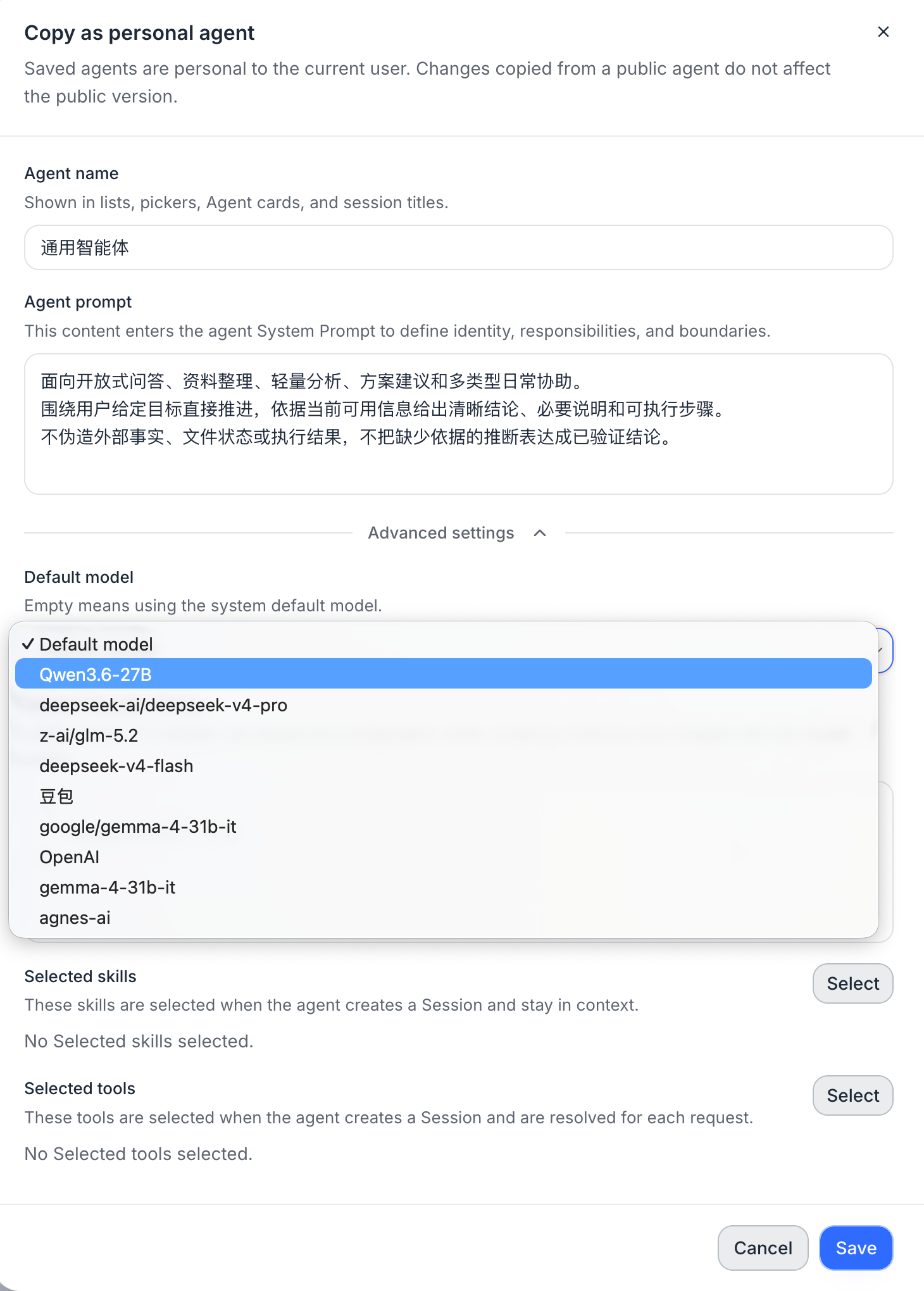
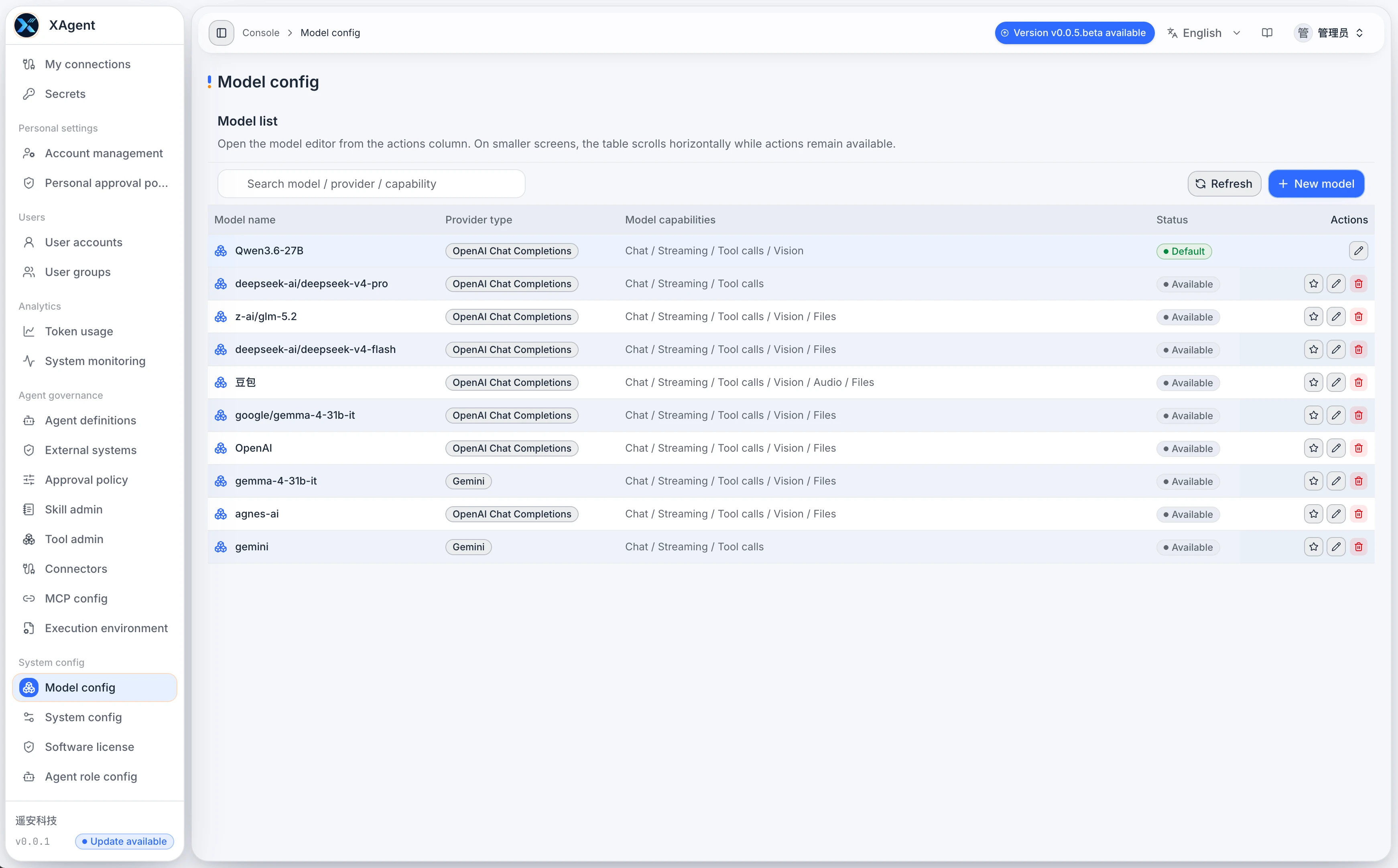
An organization does not need to choose between running every task on an internal model and sending every task to a third-party API. xAgent can create an Agent for sensitive work that defaults to an internal model, then let its Sessions use the matching model configuration: general work can use an external model, while restricted work starts with a model configuration that points to an internal service. The model configuration selects the final Provider, so the two workloads use separate model paths.
This is a specific way to configure an Agent around a data boundary. It complements the general Agent Management workflow; it is not, by itself, an absolute claim that every byte of data stays inside the company. This article explains how to establish the boundary, verify it, and understand what else must be controlled.