Blog

Product updates, practical lessons, and release notes from xAgent.

Content updated:

How xAgent Backup and Disaster Recovery Work: Incremental Snapshots and recovery.yml

· 7 min read

A self-hosted backup needs to answer more than whether bytes reached remote storage. It needs to show that the data can be restored, how much downtime restoration requires, and whether a failed cutover can return to the previous state.

xAgent 0.0.8.beta turns those questions into a verifiable procedure: create encrypted incremental snapshots while the service is running, download and verify restore data online, switch directories after shutdown, then confirm or roll back.
Route Sensitive AI Agent Work to an Internal LLM by Agent and Session

· 9 min read

An organization does not need to choose between running every task on an internal model and sending every task to a third-party API. xAgent can create an Agent for sensitive work that defaults to an internal model, then let its Sessions use the matching model configuration: general work can use an external model, while restricted work starts with a model configuration that points to an internal service. The model configuration selects the final Provider, so the two workloads use separate model paths.

This is a specific way to configure an Agent around a data boundary. It complements the general Agent Management workflow; it is not, by itself, an absolute claim that every byte of data stays inside the company. This article explains how to establish the boundary, verify it, and understand what else must be controlled.

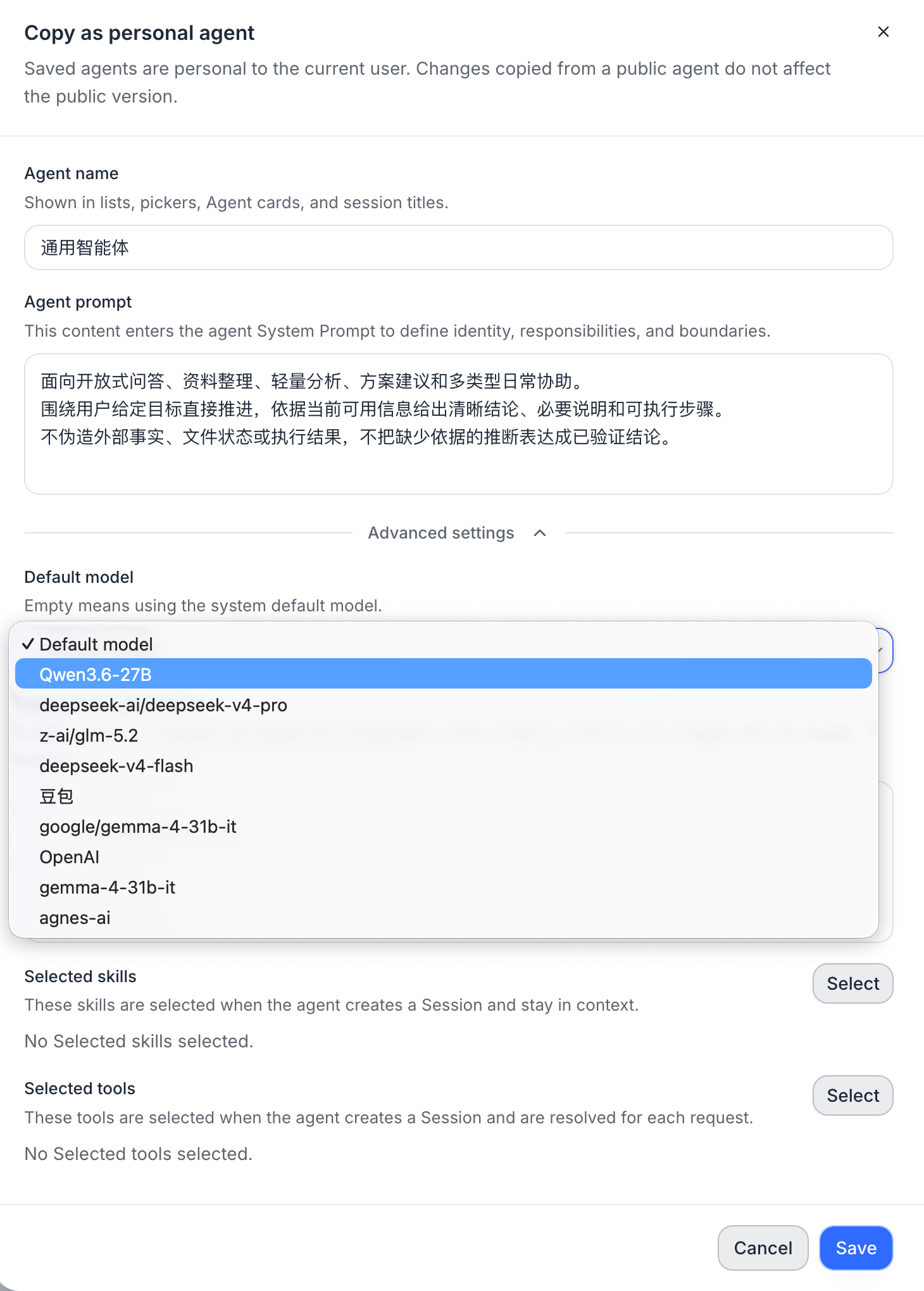
Copying an xAgent as a personal Agent, with the default model selector in Advanced settings

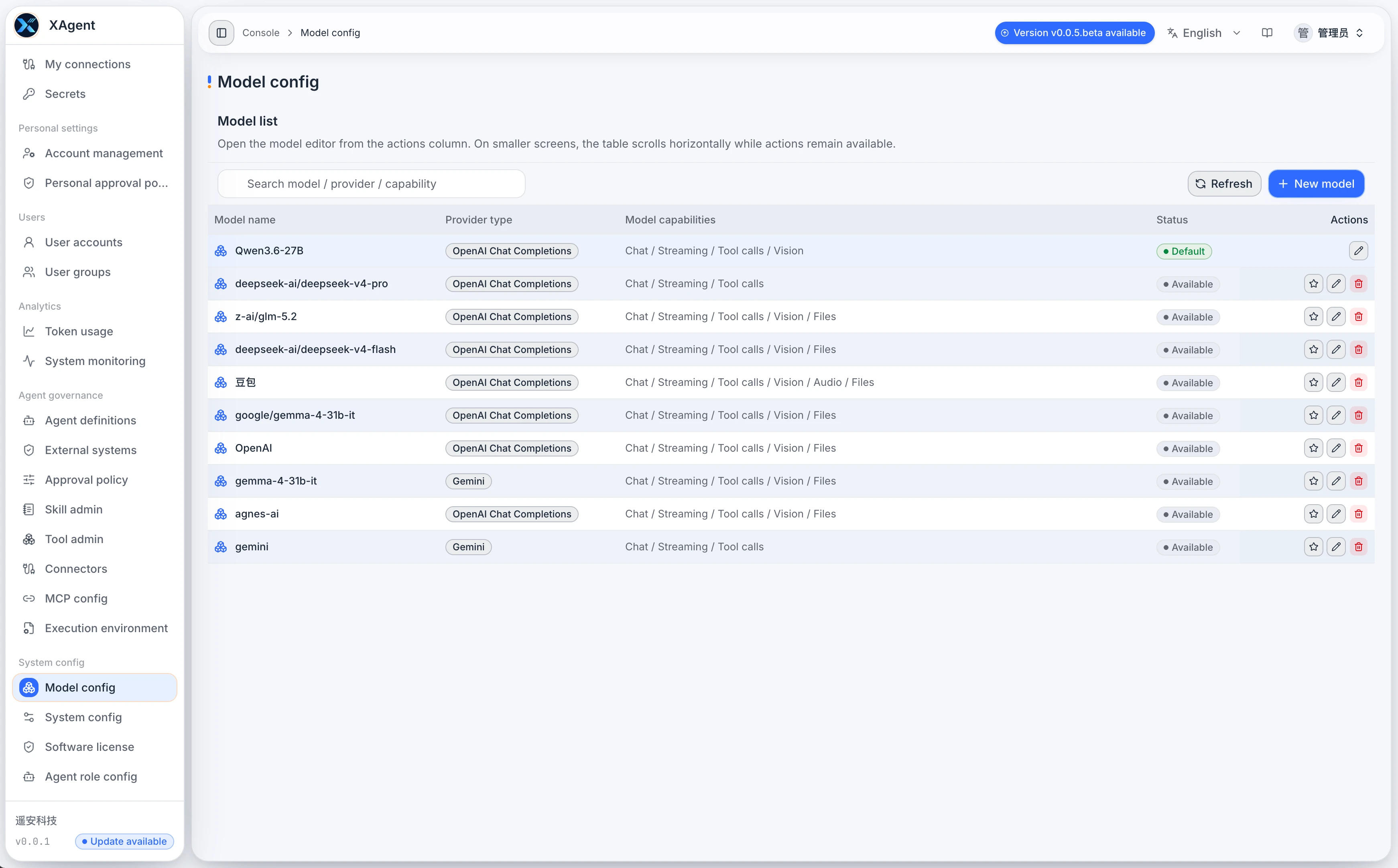
The xAgent Model Configuration page showing the model list, Provider, connection details, and capability options

xAgent 0.0.7.beta Is Available: File Storage, Team Sharing, and Desktop Client

· 4 min read

xAgent 0.0.7.beta is now available. This release makes a substantial upgrade to file storage and team collaboration, introduces the first Desktop Client release at 0.0.1, and continues to improve model caching, Provider compatibility, and image recognition.

This is still a beta release. The sections below summarize the main changes and do not replace the formal installation and upgrade instructions.

xAgent 0.0.6.beta Is Available: More Reliable File Handling and Long-running Tasks

· 5 min read

xAgent 0.0.6.beta is now available. This release focuses on a foundational part of task quality: making the path from file upload to reading, processing, and delivery more reliable.

xAgent is not designed to simply attach files to a chat. It is designed to let Agents keep working on the server. For meeting notes, contracts, reports, spreadsheets, presentations, and operational materials, correct recognition, location, and reuse of files directly affect whether a task can be completed reliably.

This is still a beta release. This post explains what is changing for users preparing to deploy or upgrade; it does not replace the formal installation and upgrade instructions.

Should an AI Agent Run on a Personal Computer or a Server?

· 5 min read

Many people first try an AI Agent as a desktop tool. That works well for experiments, coding, and one-off tasks. But once an Agent reads files, calls external systems, waits for approval, generates reports, or needs to be used repeatedly by a team, the question is no longer only whether the model is capable enough. It is where the Agent should run.

This article is not about choosing a particular model. It explains when a personal computer is sufficient, when a server-side deployment is the better fit, and why teams that depend on Agents for ongoing work usually need a long-running service.

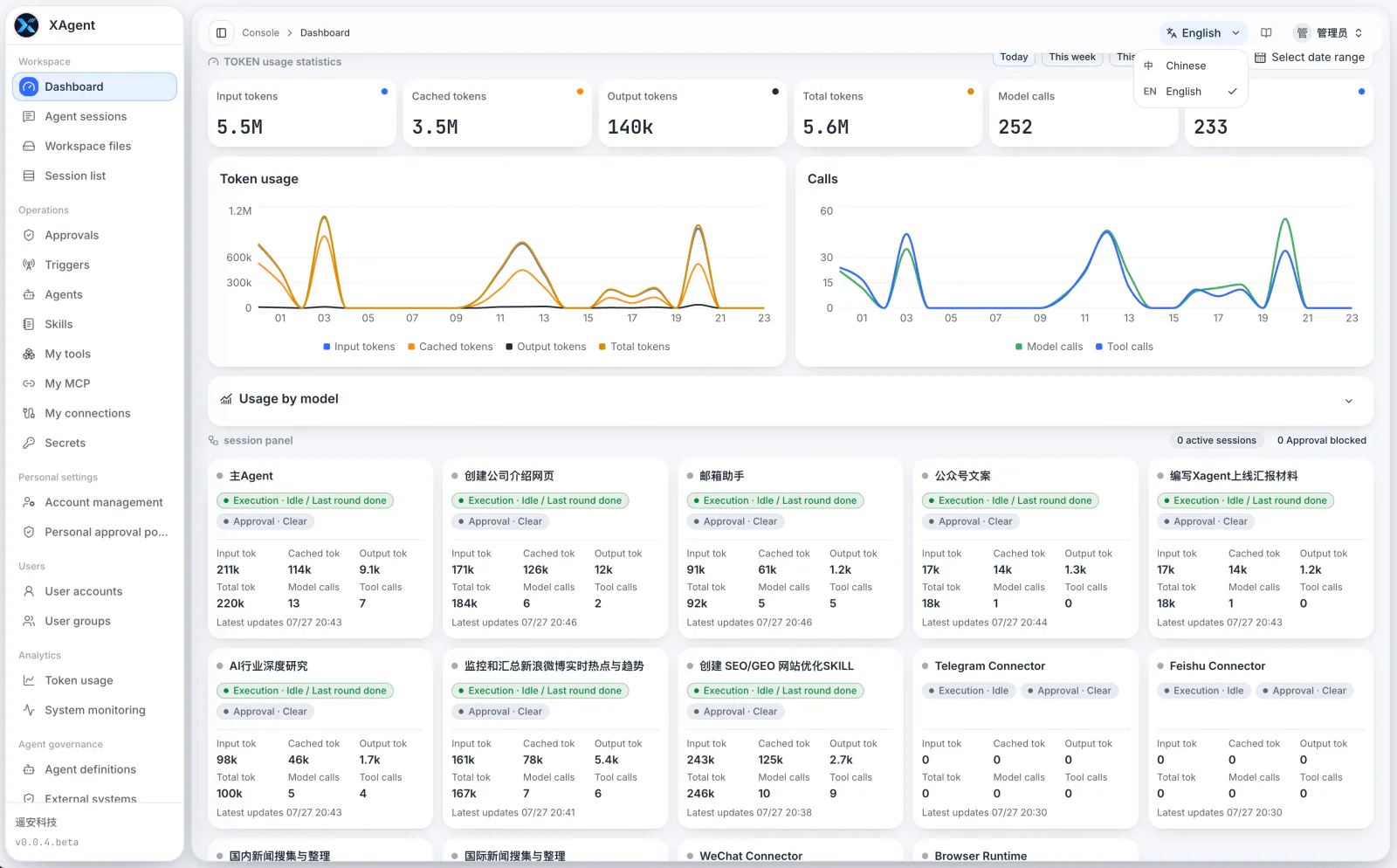
The xAgent server-side dashboard showing centralized model usage, Sessions, and Tool calls

MCP vs. Connectors: Two Paths for an AI Agent to Reach External Systems

· 5 min read

MCP and Connectors are often mentioned together when an AI Agent needs to work with external systems. Both can expose capabilities beyond the Agent itself, but they solve different problems.

In short, MCP is closer to a set of tools an Agent can call while doing work. A Connector is closer to a two-way channel that carries a user's identity, messages, and events into and back out of the system. Keeping those responsibilities separate prevents account authorization, message entry points, and tool calls from becoming one indistinct layer.

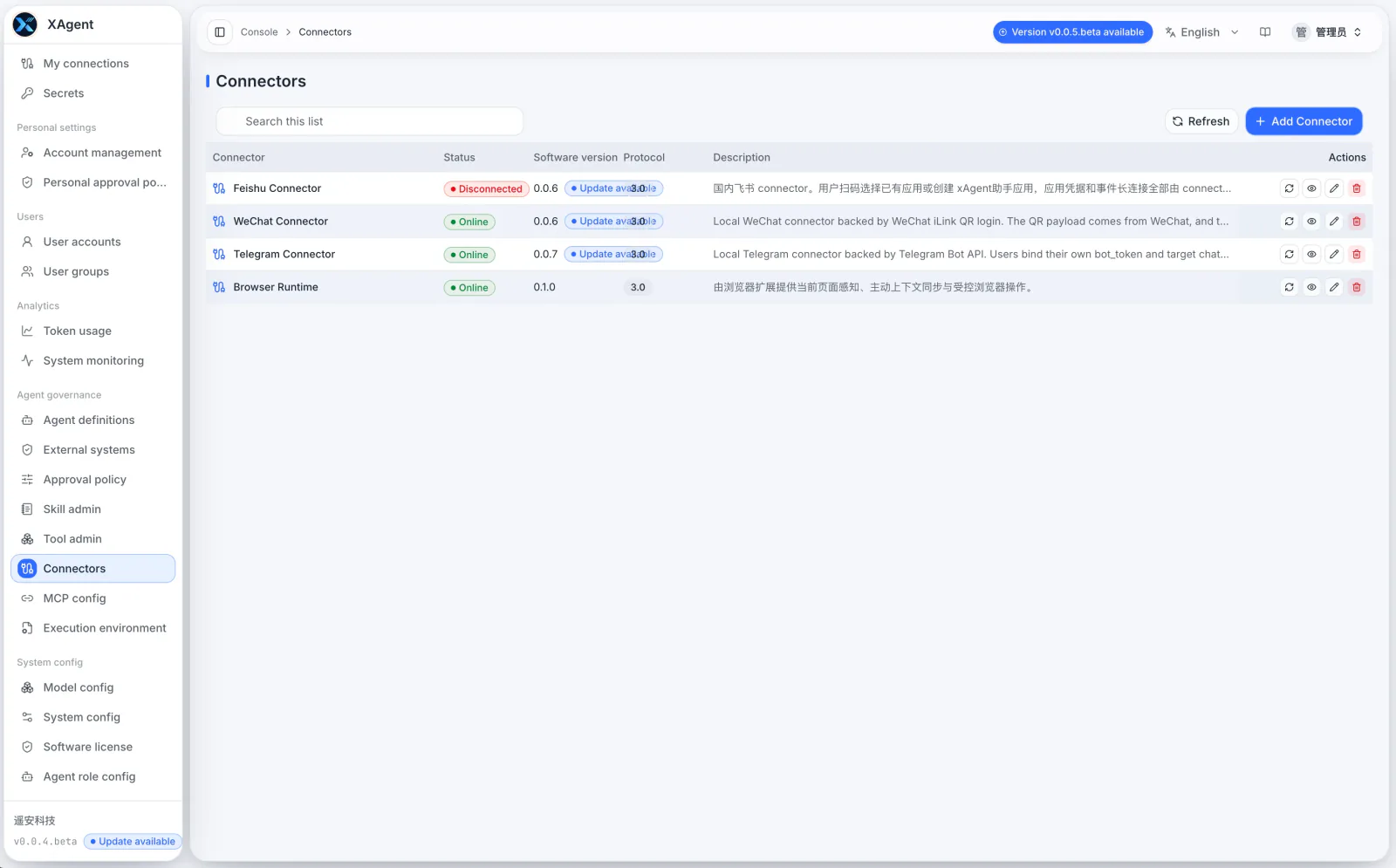
The xAgent Connector management page showing external channels, connection status, and management actions

WorkBuddy vs. Codex: Where xAgent and Other Agents Fit

· 9 min read

For a WorkBuddy vs. Codex comparison, start with the deliverable. WorkBuddy's official overview covers documents, spreadsheets, presentations, research, and coding. Codex's official overview emphasizes repository work, feature development, refactoring, and code review. Their capabilities overlap; this is not a strict split between office work and code.

xAgent, QoderWork, and OpenClaw add other deployment and workflow choices. The useful comparison starts with who will use the product, where tasks run, whether work involves a team and business systems, and who owns the security and operational boundaries.

Updated scope (2026-10-01): the original publication date remains 2026-08-01. This revision checks product positioning and execution models against the linked official material, and xAgent's personal-policy overrides against its current approval guide, which was checked against source 43d2698. This is a documentation comparison, not a same-task benchmark, complete security audit, or commercial-plan review. Older xAgent binaries may differ from the current guide.